> For the complete documentation index, see [llms.txt](https://docs.ititanhosting.ro/docs/llms.txt). Markdown versions of documentation pages are available by appending `.md` to page URLs; this page is available as [Markdown](https://docs.ititanhosting.ro/docs/english/games/fivem/txadmin-activation.md).
# txAdmin activation
Pentru a activa panoul de control txAdmin, urmați acești pași:
1. Intrați pe GamePanel;
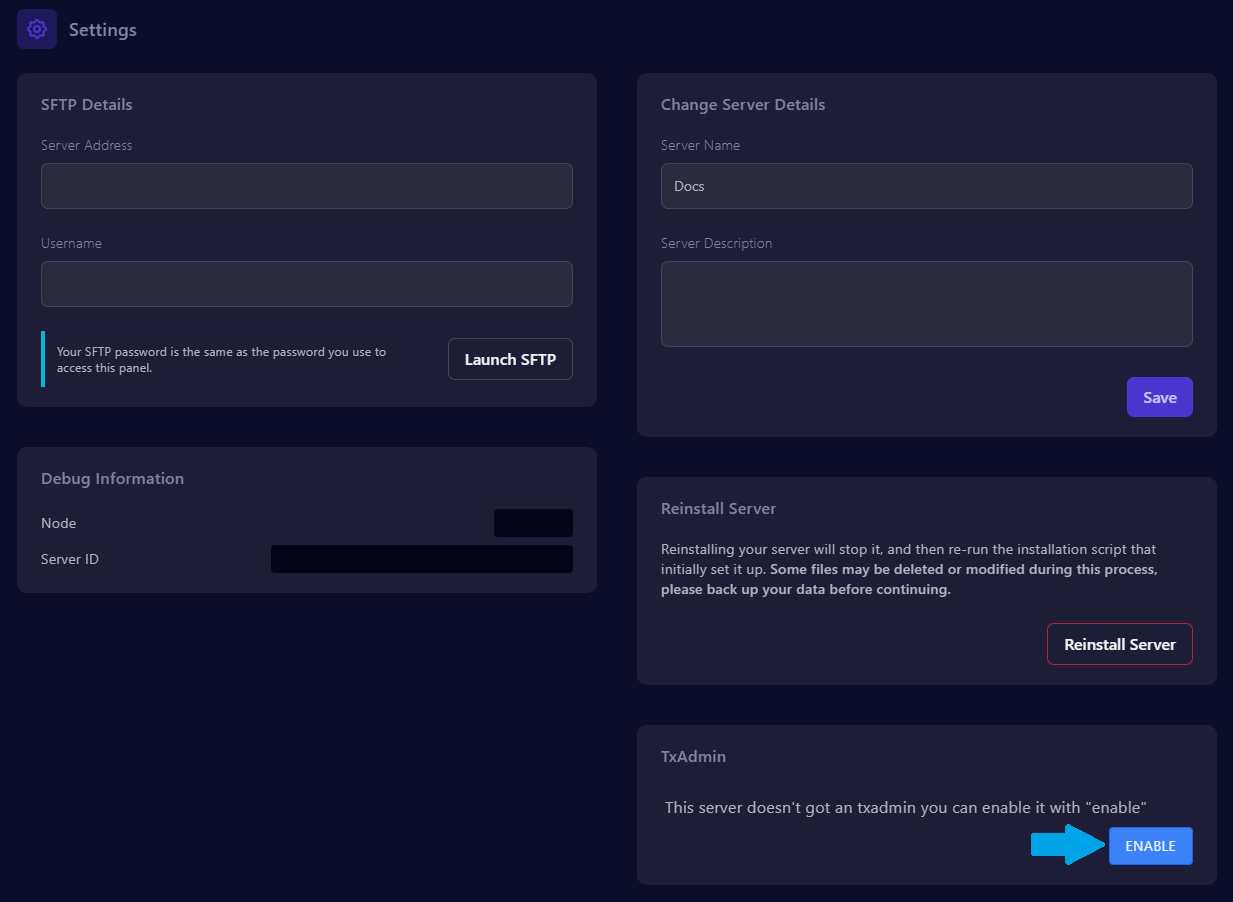
2. Navigate to the "**Settings**" section;
3. Click the "**enable**" button located in the "**TxAdmin**" section.
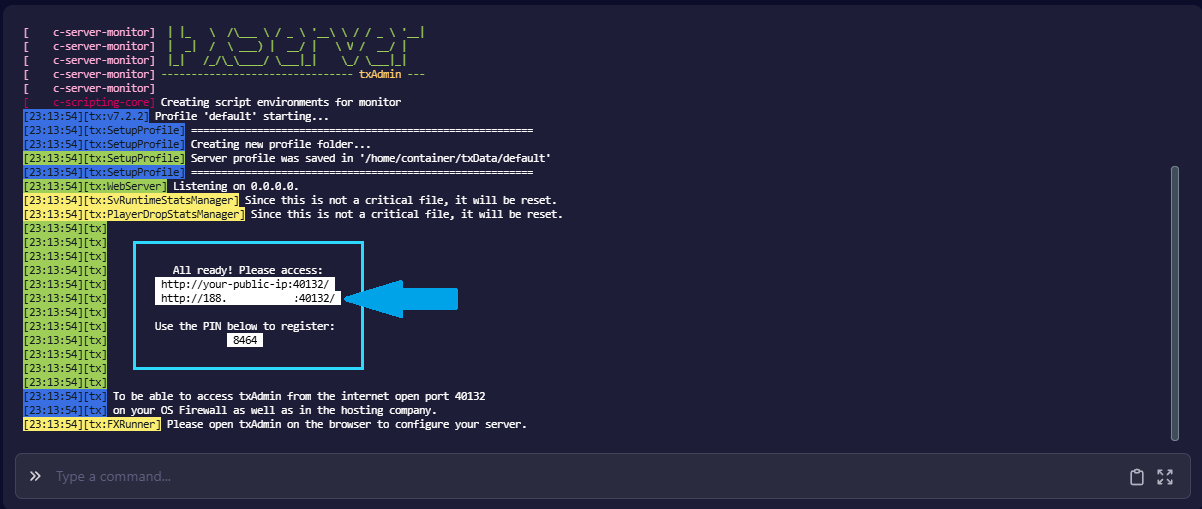
4. Start the server, then access the link displayed in the console.